I'll be honest: when React Server Components first started making noise, I ignored them. I'd been burned before by shiny React features that turned out to be solutions looking for problems. I write PHP half the week and JavaScript the other half, and from where I sit, the frontend world reinvents server rendering every few years and acts like it discovered fire.
But then Next.js made the App Router the default, RSC came along with it whether I wanted it or not, and I had to actually understand this thing instead of nodding along in blog comments. After rebuilding my own portfolio site on the App Router and spending real hours confused by "use client" errors, I think I finally get what RSC is — and more importantly, when it's worth caring about.
What React Server Components actually are
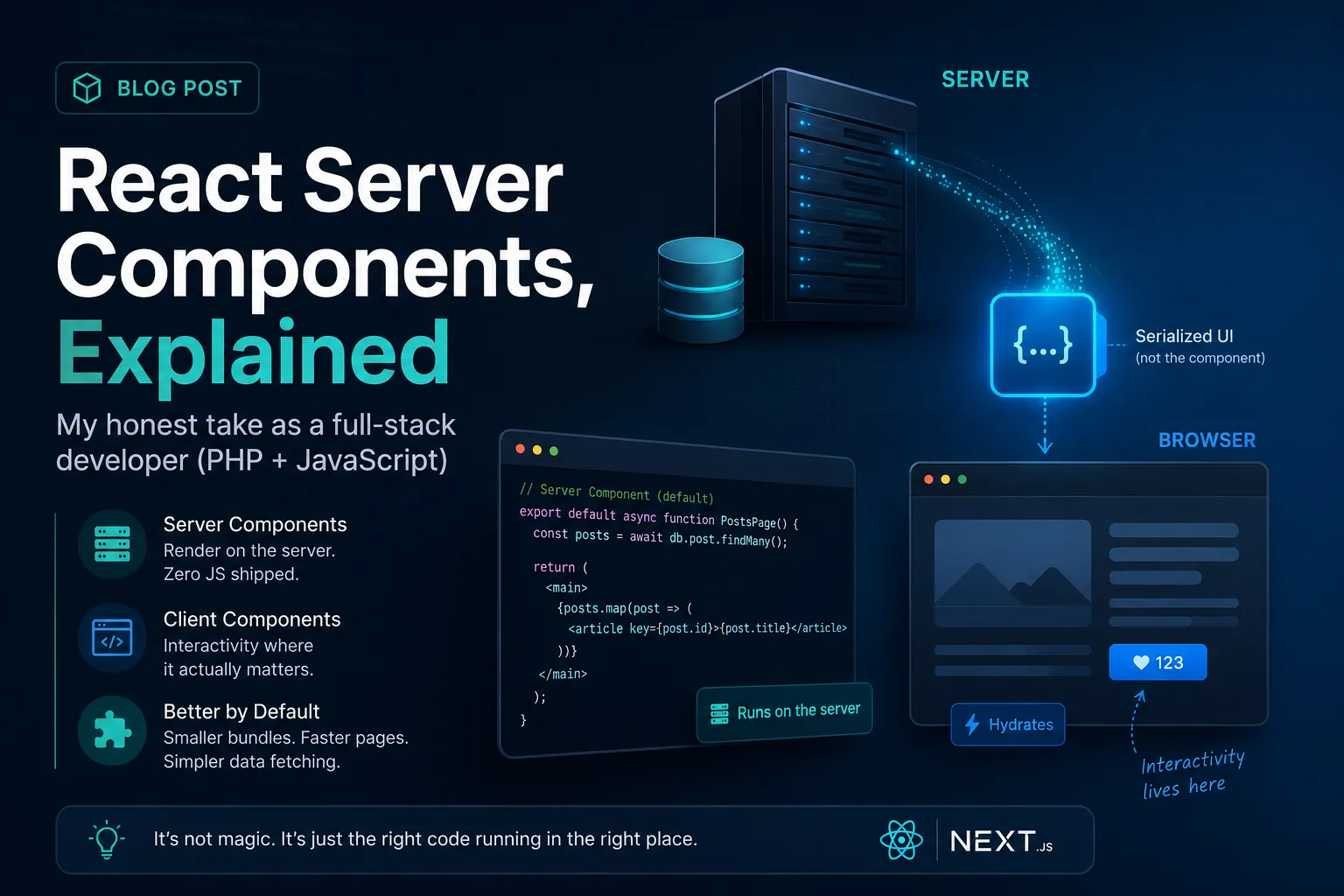
Forget the marketing for a second. A Server Component is a React component that runs only on the server. Its code never ships to the browser. It renders once, on the server, and what the browser receives is the result — a serialized description of the UI — not the component itself.
This is different from SSR, and that distinction confused me for longer than I'd like to admit. With classic SSR (what Pages Router did with getServerSideProps), the server renders HTML, sends it down, and then the browser downloads all the component JavaScript anyway and re-runs everything to make it interactive. The server render was basically a preview. The real app still lived in the client bundle.
With RSC, server components genuinely don't exist in the bundle. If a component only displays data — no clicks, no state, no effects — its code stays on the server forever. Zero bytes shipped.
// app/posts/page.jsx — a Server Component (the default in App Router)
import { db } from "@/lib/db";

export default async function PostsPage() {
  const posts = await db.post.findMany({
    orderBy: { createdAt: "desc" },
  });

  return (
    <main>
      <h1>Latest posts</h1>
      {posts.map((post) => (
        <article key={post.id}>
          <h2>{post.title}</h2>
          <p>{post.excerpt}</p>
        </article>
      ))}
    </main>
  );
}
Notice what's happening here: the component is async, and it talks to the database directly. No API route, no useEffect, no fetch from the browser, no loading spinner state. When I first saw this pattern, my Laravel brain lit up — this is just a controller rendering a view. We've come full circle, and honestly, I mean that as a compliment.
Client Components: where interactivity lives
The moment you need state, event handlers, or browser APIs, you need a Client Component. You opt in with the "use client" directive at the top of the file:
// components/LikeButton.jsx
"use client";

import { useState } from "react";

export default function LikeButton({ initialCount }) {
  const [count, setCount] = useState(initialCount);

  return (
    <button onClick={() => setCount(count + 1)}>
      ♥ {count}
    </button>
  );
}
Client Components work exactly like the React you already know. They render on the server for the initial HTML (yes, they still SSR), then hydrate in the browser and become interactive.
The composition rule that trips everyone up: a Server Component can render a Client Component, but not the other way around — at least not by importing it directly. A Client Component can receive Server Components as children, which is the escape hatch, but you can't import a server component into a client file and expect it to stay server-only.
// app/posts/[id]/page.jsx — Server Component
import LikeButton from "@/components/LikeButton";

export default async function PostPage({ params }) {
  const post = await getPost(params.id);

  return (
    <article>
      <h1>{post.title}</h1>
      <div dangerouslySetInnerHTML={{ __html: post.content }} />
      {/* Server Component rendering a Client Component — fine */}
      <LikeButton initialCount={post.likes} />
    </article>
  );
}
The errors you will definitely hit
I want to save you the debugging sessions I went through. These three come up constantly:
1. "Functions cannot be passed directly to Client Components." You tried to pass an event handler or some non-serializable value as a prop from a server component to a client one. Props crossing the server/client boundary must be serializable — plain objects, strings, numbers, arrays. No functions, no class instances, no Dates in some edge cases. The fix is usually to move the handler into the client component itself, or reach for Server Actions.
2. "useState only works in Client Components." You wrote a normal-looking React component, used a hook, and forgot that in the App Router everything is a server component by default. Add "use client". It feels obvious after the tenth time.
3. The "use client" cascade. This one is subtle. When you mark a file with "use client", everything it imports becomes part of the client bundle too. Slap the directive on a big layout component and you've accidentally dragged half your app back to the client, erasing the benefit. The habit that fixed this for me: push "use client" down to the smallest leaf components possible. The button is a client component. The page that contains it is not.
Third-party libraries are their own category of pain. Plenty of packages on npm assume they're running in a browser, or use context providers, and they'll blow up inside server components. Sometimes the fix is a thin "use client" wrapper file that just re-exports the library component. It feels silly, but it works.
What I'd actually do
Here's my honest position after living with this for a while, coming from someone who ships both Laravel apps and React apps and doesn't worship either.
For new Next.js projects: use the App Router and lean into RSC. My portfolio rebuild convinced me. Most of a typical site — headers, footers, content sections, anything reading from a database or CMS — has no business being in the client bundle. Letting all of that render on the server and shipping JavaScript only for the genuinely interactive bits (a contact form, a mobile menu, animations) is simply the correct architecture. The mental model takes a week or two to click, but it does click.
For existing Pages Router apps: don't rush. The Pages Router still works, is still supported, and a migration touches your data fetching, your layouts, and your component boundaries all at once. If the app is stable and the team knows it well, "it's newer" is not a reason to migrate. Migrate when you're doing a redesign anyway, or when a specific App Router feature (streaming, nested layouts, Server Actions) solves a problem you actually have.
For heavily interactive apps — dashboards, editors, anything that feels like a desktop app — RSC matters much less. If 90% of your UI is stateful and client-driven, most of your tree ends up under "use client" anyway, and you've adopted the complexity without collecting the payoff. A plain SPA, or Pages Router, is still a perfectly respectable choice there.
And one opinion I'll stand behind even if it's unfashionable: RSC is React admitting that the server-rendered model — the thing PHP developers never stopped doing — was right about a lot. The difference is that now you get it with component composition and one language across the stack. That combination is genuinely good. The ideology wars around it are not.
Final thoughts
React Server Components aren't magic, and they aren't a fad either. They're a real architectural shift with a real cost — a new mental model, a stricter boundary between server and client, some annoying error messages — in exchange for smaller bundles, simpler data fetching, and pages that are fast by default instead of fast after optimization.
If you're starting something new in Next.js, learn the model properly instead of fighting it: server by default, "use client" at the leaves, keep props serializable. If you're maintaining something old, breathe — nothing is on fire.
And if you're a backend developer watching the React world excitedly rediscover rendering on the server: yes, you're allowed to smile a little. I did.
Admin User
TechHub Administrator
Passionate about building great software and sharing knowledge with the developer community.